Foundry IQ Explained: How to Ground AI Agents in Your Proprietary Data Safely


An AI agent on its own answers from its training data, up to a knowledge cutoff. In Microsoft's words, the model powering a Foundry agent "has a knowledge cutoff and can't access your proprietary data on its own" (per What is Foundry IQ? on Microsoft Learn). Ask it about this quarter's price list, a customer's order history or the current leave policy, and it has nothing of yours to answer from.
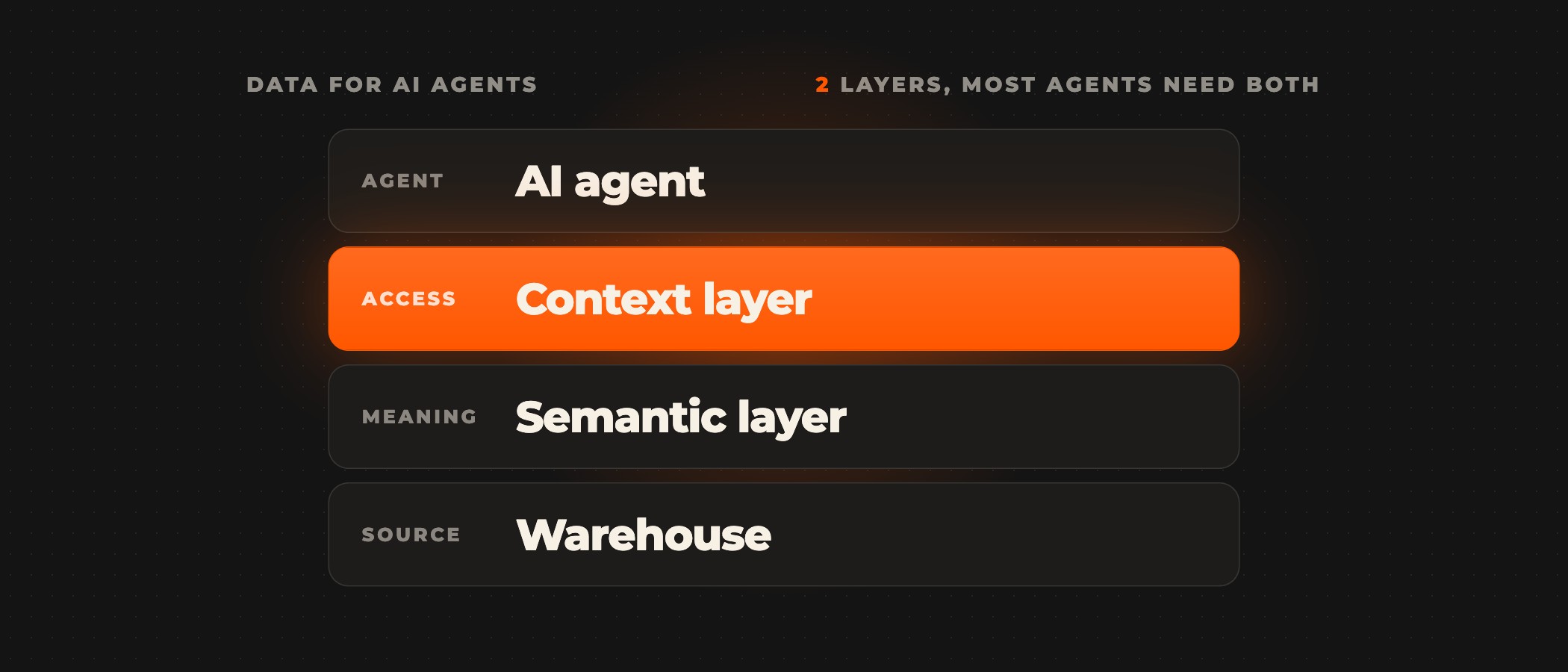
Foundry IQ grounds an agent in your own data by giving it a knowledge base to answer from. It is the managed knowledge layer of Microsoft Foundry, built on Azure AI Search. You build a knowledge base from knowledge sources such as Azure Blob Storage, SharePoint, OneLake and the web. Then you connect it to the agent as a tool through the Model Context Protocol (MCP). MCP is the open standard AI tools use to connect to other systems. When the agent queries the knowledge base, agentic retrieval plans the search and runs it across the sources. It enforces the user's permissions and returns the content with citations. Microsoft's guide to connecting agents to Foundry IQ knowledge bases says the setup stays safe under two conditions. First, every request carries the user's own identity, so permission-protected sources return only what that user may see. Second, the agent's instructions tell it to answer only from the knowledge base, and to say "I don't know" when the answer is not there.
| An AI agent on its own | A grounded agent | |
|---|---|---|
| Your data | can't access your proprietary data | knowledge sources such as Azure Blob Storage, SharePoint, OneLake and the web |
| Answers from | its training data, up to a knowledge cutoff | the content with citations |
| Who sees what | nothing of yours | when every request carries the user's own identity, so permission-protected sources return only what that user may see |
How Foundry IQ grounds an agent
A knowledge base is a top-level resource on your Azure AI Search service. It groups one or more knowledge sources under a single endpoint, and its settings control how it retrieves content. Several agents can share one knowledge base, so you connect each source once rather than once per agent. Foundry Agent Service, Microsoft Agent Framework, a Microsoft Copilot Studio agent or your own custom apps can all call it (per What is Foundry IQ? and the Foundry IQ FAQ).
Each knowledge source is either indexed or remote. An indexed source copies its content into a search index on your Azure AI Search service. Azure Blob Storage, OneLake, an indexed SharePoint site and a search index you already have all work this way. Foundry IQ automates the chunking, vector embeddings and metadata extraction. Chunking splits documents into passages, and vector embeddings let search match those passages by meaning. Foundry IQ refreshes the content on the indexer schedule you set. A remote source, such as SharePoint left in place or the web through Grounding with Bing, is never copied in. Foundry IQ queries it at retrieval time, so its data is always current (per Microsoft Learn's overview of knowledge sources and the Foundry IQ FAQ). The source type sets how Foundry IQ reads your content and who sees what.
Retrieval runs at query time and leaves the model unchanged. Agentic retrieval can split a complex question into smaller queries and run keyword, vector or hybrid searches in parallel. It then reranks the results and returns extractive content, meaning passages quoted from your documents, with citations. The agent reasons over your content, and a reader can trace each answer to its source document (per What is Foundry IQ?). Query planning uses an optional large language model (LLM) from Azure OpenAI. It follows the retrieval reasoning effort you set. Minimal skips the LLM, and low and medium plan the search. Medium also searches again when the first results fall short (per the Foundry IQ FAQ).
Your data does not train the model. For models sold by Azure in Microsoft Foundry, Microsoft states that prompts and completions "are not used to train, retrain, or improve the base models". They are also not available to other customers or to OpenAI (per Microsoft's page on data, privacy, and security for Foundry Models). The retrieved content reaches the model as part of the prompt for that request.
Billing follows the services underneath. Azure AI Search has a free tier and a free token allocation for agentic retrieval. After that, retrieval is billed on the tokens it uses in Azure AI Search. LLM query planning is charged separately through Azure OpenAI. Foundry Agent Service does not charge for agent instances (per the Foundry IQ FAQ).
Some Foundry IQ features are generally available and others are in preview. Which ones depends on the Search Service REST API version you use (per What is Foundry IQ?). The preview features include indexed and remote SharePoint sources, query-time permission enforcement and LLM query planning. Microsoft does not recommend preview features for production workloads (per Microsoft's guide to connecting agents and the overview of knowledge sources).
How to keep a grounded agent safe
Start with where the data goes. An indexed source puts a copy of your content in a search index on your Azure AI Search service. A remote source leaves the content where it is and queries it at retrieval time. Azure AI Search connects to services such as Azure OpenAI or Blob Storage in one of two ways. Microsoft recommends managed identities with Microsoft Entra ID, and API keys also work (per the Foundry IQ FAQ). On Microsoft Foundry builds, Ovidius works inside your Azure tenant. Before the agent goes live, we answer what the agent could see, what it did and who approved it.
Three settings limit a grounded agent to what each user may see and what your sources say. A fourth lets your team review what it retrieved.
- Permission sync on every protected source. Indexed sources can carry access control lists, role-based access or both. Blob Storage, OneLake and indexed SharePoint can also bring in Microsoft Purview sensitivity labels (preview). Foundry IQ honours these permissions and labels only where the source supports document-level permissions and they are set to synchronise (per the Foundry IQ FAQ).
- The user's token on every request, in the x-ms-query-source-authorization header. This is the user's Microsoft Entra access token, which proves who is asking. Foundry Agent Service sets it from the user's context when the caller is that user. Otherwise your application passes it. Without the token, permission-enabled sources return results unfiltered (per Microsoft's guide to connecting agents).
- Instructions that require the knowledge base. Microsoft's starting template tells the agent to use the knowledge base tool, to cite the retrieved sources and, "If the knowledge base doesn't contain the answer, respond with "I don't know"" (per Microsoft's guide to connecting agents).
- Diagnostic logging, turned on so each retrieval's request and response can be reviewed (per the Foundry IQ FAQ).
A remote SharePoint source works differently. SharePoint applies its own access control lists and Purview labels at query time, through the Copilot Retrieval API. Each end user needs a Microsoft 365 Copilot licence (per the Foundry IQ FAQ).
Approval for actions is a separate setting. Microsoft's guide warns that MCP implementations carry risks such as attacks, cascading failures and loss of human oversight. It recommends approval mechanisms and monitoring. Each MCP tool on a Foundry agent has a require_approval setting, and Microsoft's knowledge base example sets it to never (per Microsoft's guide to connecting agents). On Ovidius builds, a named approver signs off before anything is written back. An agent never approves or sends on its own.
Grounding agents with Ovidius
Ovidius builds enterprise RAG and data integration on Microsoft Foundry. RAG, short for retrieval-augmented generation, means the model answers from documents it looks up first. We connect Azure AI Search to SharePoint, Blob Storage and your knowledge bases. Your support and operations teams then get cited answers without leaving the tools they work in. The Ovidius platform comparison rates Foundry a strong fit for two jobs, and an assistant that answers from your own documents is one of them. Every build starts with an AI Audit or a scoped pilot. Before any code is written, we agree with you on the workflow, the data it may touch and the person who owns it. An AI pilot runs 2 to 6 weeks, and scoping sets the timeline for a full build.
Frequently asked questions
What is Foundry IQ?
Foundry IQ is the managed knowledge layer of Microsoft Foundry. It turns enterprise content into knowledge bases on Azure AI Search. Each knowledge base groups knowledge sources such as Azure Blob Storage, SharePoint, OneLake and the web. When an agent queries a knowledge base, agentic retrieval plans the search and runs it across the sources. It enforces the user's permissions and returns the content with citations, as Microsoft's overview of Foundry IQ describes.
Does Foundry IQ need Azure AI Search?
Yes. Foundry IQ is built on Azure AI Search, and its knowledge bases live on an Azure AI Search service. Foundry Agent Service is optional. Microsoft Agent Framework, a Microsoft Copilot Studio agent or your own custom apps can call the same knowledge base. Several agents can share one, as the Foundry IQ FAQ and Microsoft's overview say.
Does Foundry IQ copy my data?
Only from an indexed source. Azure Blob Storage, OneLake and an indexed SharePoint site are indexed sources. An indexed source copies its content into a search index on your Azure AI Search service. It refreshes that copy on the indexer schedule you set. A remote source, such as SharePoint left in place or the web through Grounding with Bing, is never copied in. Foundry IQ queries it at retrieval time.
Can a grounded agent show a user documents they cannot open?
Not when permissions are set up end to end. The source must support document-level permissions, and they must be set to synchronise. Every request must also carry the user's token in the x-ms-query-source-authorization header. Without the token, Microsoft's guide to connecting agents says, permission-enabled sources return results unfiltered. A remote SharePoint source applies its own access control lists and Purview labels at query time.
Is my data used to train the model?
No. For models sold by Azure in Microsoft Foundry, Microsoft states that prompts and completions are not used to train, retrain, or improve the base models. They are also not available to other customers or to OpenAI. Foundry IQ supplies your content at query time, as part of the prompt for that request.
What does Foundry IQ cost?
Foundry IQ is billed through the services underneath it. Azure AI Search has a free tier and a free token allocation for agentic retrieval. After that, retrieval is billed on the tokens it uses in Azure AI Search. LLM query planning is charged separately through Azure OpenAI. Foundry Agent Service does not charge for agent instances, as the Foundry IQ FAQ says.
Grounding an agent in your own data? Book a discovery call. A senior partner runs the call and tells you whether Foundry is the right platform for the job before anything is scoped.