Data Governance for AI: What Changes When Agents Read Your Data

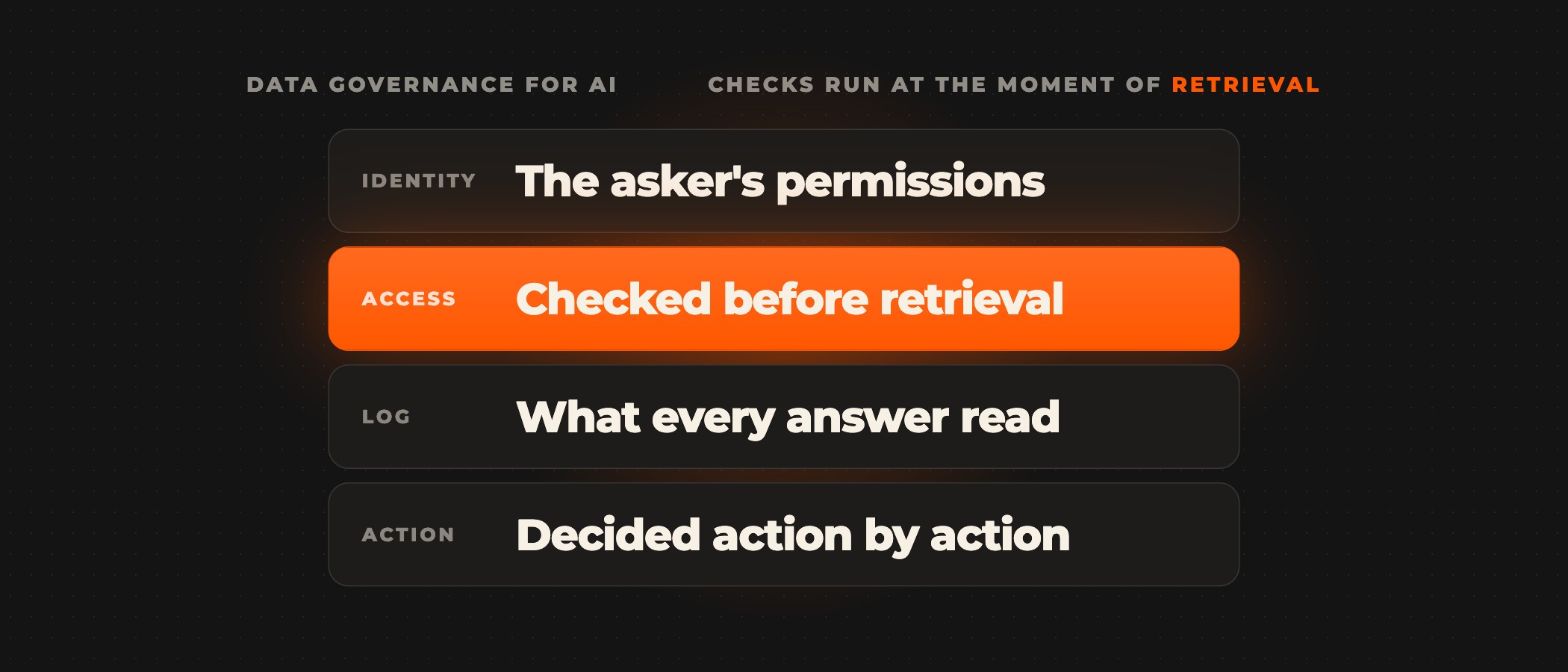
Data governance for AI changes because the reader changes. An agent reads on someone's behalf, pulls records from several systems into one prompt and can be steered by instructions hidden in what it reads, so controls built for people opening files have to run at the moment of retrieval instead. In practice that means four things: the agent reads with the permissions of the person who asked, access is checked before a record reaches the model, every answer leaves a log of what it read, and what the agent may do with that data is decided action by action.
For the Cost of a Data Breach Report 2025, the Ponemon Institute and IBM studied 600 breached organizations and found that 13% had a breach of an AI model or application. Of those, 97% had no AI access controls in place, and 63% of the breached organizations had no AI governance policy or were still writing one. Data leaders see the gap too. In IBM's 2025 study of 1,700 chief data officers, 80% had started building datasets to train AI agents, and 79% said they were early in defining how to scale and govern them.
What changes when an AI agent reads your data?
Most data governance assumes a person at the other end, with a role, opening one record at a time in an application that checks the role. An agent breaks several of those assumptions at once.
| Question | A person reading | An agent reading |
|---|---|---|
| Who is reading | A named employee with a role | Software acting for someone, often on a shared key |
| How much it reads | One record or report at a time | Dozens of passages from several systems per answer |
| Instructions inside the data | Ignored; a note is a note | Sometimes followed, because instructions and data arrive as the same text |
| Where the data ends up | On a screen | In a prompt, an answer and sometimes a vector index or memory store |
| What the audit trail shows | Who opened which file | Nothing, unless retrieval is logged for each answer |
The third row carries the newest risk. In June 2025 Microsoft fixed CVE-2025-32711 in Microsoft 365 Copilot, rated critical at 9.3 on its own scoring. An academic case study of the flaw, known as EchoLeak, showed that a single crafted email, once Copilot retrieved it as context, could lead to data leaving the user's environment with no click from the user. Microsoft mitigated the flaw on its side and reported no exploitation, but the mechanism applies to any agent that reads text someone else wrote.
Whose permissions does the agent read with?
Identity is the first decision. An agent on a shared service account sees everything that account can see, which is usually far more than any one person who asks it a question, and its log says the service account did it. An agent that inherits the asker's permissions from the source systems can only return what that person could already open, and its log names the person.
Joint guidance published on May 1, 2026 by CISA, the NSA and the national cyber agencies of Australia, Canada, New Zealand and the UK, Careful Adoption of Agentic AI Services, makes the same call. Agents should not be granted broad or unrestricted access, especially to sensitive data or critical systems, and adoption should begin with use cases that are low-risk and non-sensitive. The picker shows what each approach puts in front of the model when three different people ask the same agent the same question.
A line in the system prompt saying "do not reveal payroll data" fails for the same reason as the shared account. The records are already in the context, and the instruction is one more piece of text the model weighs. On our builds, agents take their permissions from the systems they read, so a finance agent cannot open payroll because someone forgot a filter. Our enterprise AI governance page lists the controls that ship with every workflow.
Why access checks belong before retrieval
Retrieval-augmented generation creates a copy of your data that the source permissions do not follow. When documents are split into chunks and embedded in a vector index, the index holds the text without the SharePoint or Confluence permissions that guarded it, and a similarity search returns whatever matches best. The OWASP Top 10 for LLM Applications 2025 lists this as LLM08, vector and embedding weaknesses, and its first prevention item is fine-grained access control with permission-aware vector stores.
- Carry source permissions into the index. Each chunk keeps the access list of the document it came from, and the list syncs when the source changes.
- Filter at query time. The retriever applies the asker's permissions inside the search, so a refused record is never ranked, quoted or summarized.
- Log the refusal. A record that matched and was refused shows where an agent's scope and its users' questions disagree.
You can also skip the copy and let agents read systems of record through their APIs, which already enforce permissions. IBM's CDO study found that 81% of data leaders bring AI to the data rather than centralizing it. Our enterprise context layer works this way: the permission check runs before retrieval, and a refused record is logged without entering the prompt. How that layer differs from a semantic layer is the subject of context layer vs semantic layer.
What should you log for every agent answer?
Pipeline lineage records which table fed which table overnight. Agent lineage answers a narrower question for every response: which records, in which version, were in the context when the agent said this, and on whose behalf. Without it, a wrong answer cannot be traced to a stale document, and an auditor asking who saw what gets no answer. OWASP's guidance for vector stores asks for detailed, immutable logs of retrieval activity for the same reason.
| Field | Example | The question it answers |
|---|---|---|
| Requesting user and role | fin-analyst-07, finance | Who was the agent acting for? |
| Agent and version | ap-assistant, prompt v14 | Which configuration produced the answer? |
| Records read, with versions | INV-30418 v3, PO-7781 v1 | What did the answer rest on? |
| Records refused | payroll_ledger, by role | Did the permission check work? |
| Checks and flags | Injected instruction in an invoice note | What tried to steer the agent? |
| Action and approver | Release payment, waiting for the AP lead | Who decided anything that changed a system? |
Step through one request to see the log build up as it runs.
IES Limited's daily MI alerting system runs on the same discipline in production. Every figure on an alert card is a database value, a verification step names any figure the model was not handed, and every threshold change is recorded with who made it, from when and to when. IES made 34 threshold changes in six weeks without a single developer ticket.
Treat everything the agent reads as untrusted input
A permission check controls which records the agent may read. What those records contain is a separate risk. An invoice note, a support email or a wiki page can carry text written to look like an instruction, and EchoLeak showed that a production assistant can be made to act on it. Governing agent-read data therefore covers content as well as access.
- Screen what comes in. A guardrail step checks user input and retrieved text for instructions before the model acts on either.
- Separate reading from acting. An agent that reads customer email does not hold the credentials to send email or move money; those actions belong to a separate step with its own rules.
- Check answers against sources. A second agent or a fixed rule confirms that the figures and claims in a draft come from retrieved records.
- Limit where output can go. EchoLeak moved data out through links and images in the answer, so agent output should only reach destinations you have approved.
Pinkcube's chat agent shows the separation in practice. The agent that talks to customers has no permission to file tickets at all. A separate triage agent reads each finished conversation and creates the ticket the chat agent promised, and the build ran 76 hostile test scenarios before launch (Pinkcube case study). Our post on AI guardrails covers where each check sits.
A data governance checklist for your first AI agent
- List the systems and document stores the agent will read, with the owner of each.
- Classify what the agent may read, what it may act on and what it may send outside the company, and start with low-risk, non-sensitive data.
- Pass the asker's identity to the agent through single sign-on, and retire shared keys with broad rights.
- Carry source permissions into any vector index and filter at query time.
- Log every answer with the user, the records read and refused, the checks that ran and any action taken.
- Screen retrieved text for instructions, and split reading tools from acting tools.
- Put a named approver on every action above a threshold you set, such as payments, refunds, outbound email and record changes.
- Name an owner who reviews the log and the refusals on a fixed schedule.
Write the human side down as well. The AI use policy template covers what people may put into AI tools, and the AI readiness checklist has 20 questions to answer before the first agent goes live. If the agent will reach systems through MCP, MCP security covers tokens, gateways and approvals.
Frequently asked questions
What is data governance for AI?
Data governance for AI is the set of rules and controls over which data AI systems may read, how that data is used in answers and actions, and how each use is recorded. With agents, the controls run at retrieval time for every request, because an agent reads on someone's behalf and can be steered by what it reads.
How is AI data governance different from traditional data governance?
Traditional governance decides who can open a dataset and tracks how data moves between systems. AI data governance adds an identity for every agent, permission checks inside retrieval, a log of what entered each answer, and rules for what an agent may do with what it read.
Should AI agents run on service accounts?
Only for narrow system tasks that act for no particular person, with the smallest scope that works. An agent answering a person's question should run on that person's permissions, so it cannot return what they could not open and the log names who asked.
How do you stop RAG from leaking restricted documents?
Store each chunk with the access list of its source document, keep that list in sync, and apply the asker's permissions inside the search. A prompt instruction not to reveal restricted content does not protect it, because the content is already in the model's context.
What is runtime lineage for AI agents?
Runtime lineage records, for each agent answer, which records and versions were in the context, on whose behalf, which checks ran and which actions followed. It lets you trace a wrong answer to its source and answer an auditor's question about who saw what.
Do we still need a written AI policy if the controls are built in?
Yes. The policy says what people and agents are allowed to do, and the controls enforce it inside the system. Map each rule in the policy to a control, and the gaps show up before an auditor finds them.
Ovidius builds agents that read your systems with inherited permissions, check access before retrieval and log every answer in your own environment. To decide which data your first agent should read, start with the AI Audit or book a discovery call.