Copilot Cowork vs Claude Cowork: Same Claude Models, Different Products


Copilot Cowork and Claude Cowork are two separate products that both draw on Anthropic's Claude models. Copilot Cowork is Microsoft's agent inside Microsoft 365, paid for with a Microsoft 365 Copilot license plus Copilot Credits, and Microsoft's Copilot Cowork FAQ says it "can use Anthropic Claude models as a subprocessor for most reasoning, drafting, and tool-using work". Its model picker also offers GPT and Grok models, and a tenant inside the EU Data Boundary gets GPT models only. Claude Cowork is Anthropic's own agent on a paid Claude plan, and Anthropic's Help Center says it "uses the same agentic architecture that powers Claude Code".
Plugins are where the two products overlap. Both read skills written to the Agent Skills open standard, and when you upload a Claude plugin package, Copilot Cowork "automatically converts it into a publishable package, including any bundled skills and external connectors it contains", according to Microsoft's guide to customizing Copilot Cowork. Slash commands, sub-agents and hooks do not convert yet, so the skills and connectors are the part of a plugin you build once for both products.
| Copilot Cowork | Claude Cowork | |
|---|---|---|
| Agent | Microsoft's agent inside Microsoft 365 | Anthropic's own agent |
| Paid for with | a Microsoft 365 Copilot license plus Copilot Credits | the paid Claude plans (Pro, Max, Ultra, Team and Enterprise) |
| Models | Anthropic Claude models as a subprocessor for most reasoning, drafting, and tool-using work. Its model picker also offers GPT and Grok models, and a tenant inside the EU Data Boundary gets GPT models only | Anthropic's Claude models |
| Works | on files in OneDrive and SharePoint rather than files stored on the user's computer | in the cloud, and through Claude Desktop in the folders you connect |
| Plugins | when you upload a Claude plugin package, Copilot Cowork turns it into a publishable package with its skills and connectors | bundling “skills, connectors, and sub-agents into a single package” |
| Approvals | you approve each action before it happens | asks for your explicit permission before it permanently deletes any file |
| Admin | off by default, and an admin grants access through spending policies with limits at tenant, group and user level | on Team and Enterprise plans an owner turns Claude Cowork on for the whole organization, and Enterprise plans can use groups and custom roles to turn it on for specific teams |
| Records | prompts, responses and files inherit your sensitivity labels and appear in your Microsoft 365 audit log | on Team and Enterprise plans, Anthropic captures Claude Cowork sessions in the Compliance API and lets you send usage, cost and tool activity to your own monitoring tools through OpenTelemetry |
Where each one runs and who turns it on
Copilot Cowork works inside Microsoft 365. Microsoft's Copilot Cowork overview says it sends emails, schedules meetings, creates documents, posts in Teams and manages files in OneDrive and SharePoint, and "You approve each action before it happens." It acts with the user's own permissions and works on files in OneDrive and SharePoint rather than files stored on the user's computer. Copilot Cowork is off by default, and an admin grants access through spending policies with limits at tenant, group and user level, as Microsoft's general availability post of 16 June 2026 sets out. Prompts, responses and files inherit your sensitivity labels and appear in your Microsoft 365 audit log.
Which model runs a task depends on the tenant. Microsoft's Copilot Cowork FAQ lists GPT, Claude Opus, Claude Sonnet, Claude Fable and Grok models in the picker, lets admins turn off Anthropic models for their organization, and states that "If your organization is within the EU Data Boundary, only GPT models are supported." Access to Copilot Cowork is also limited to the regions Anthropic supports.
Claude Cowork needs no Microsoft 365 tenant. Anthropic's Help Center lists it on the Pro, Max, Ultra, Team and Enterprise plans, says it runs your sessions in the cloud, and describes how Claude Desktop lets it work in folders you connect on your computer. It asks for your explicit permission before it permanently deletes any file. On Team and Enterprise plans an owner turns Claude Cowork on for the whole organization, and Enterprise plans can use groups and custom roles to turn it on for specific teams, as Anthropic's guide to Cowork on Team and Enterprise plans describes.
One plugin for both products
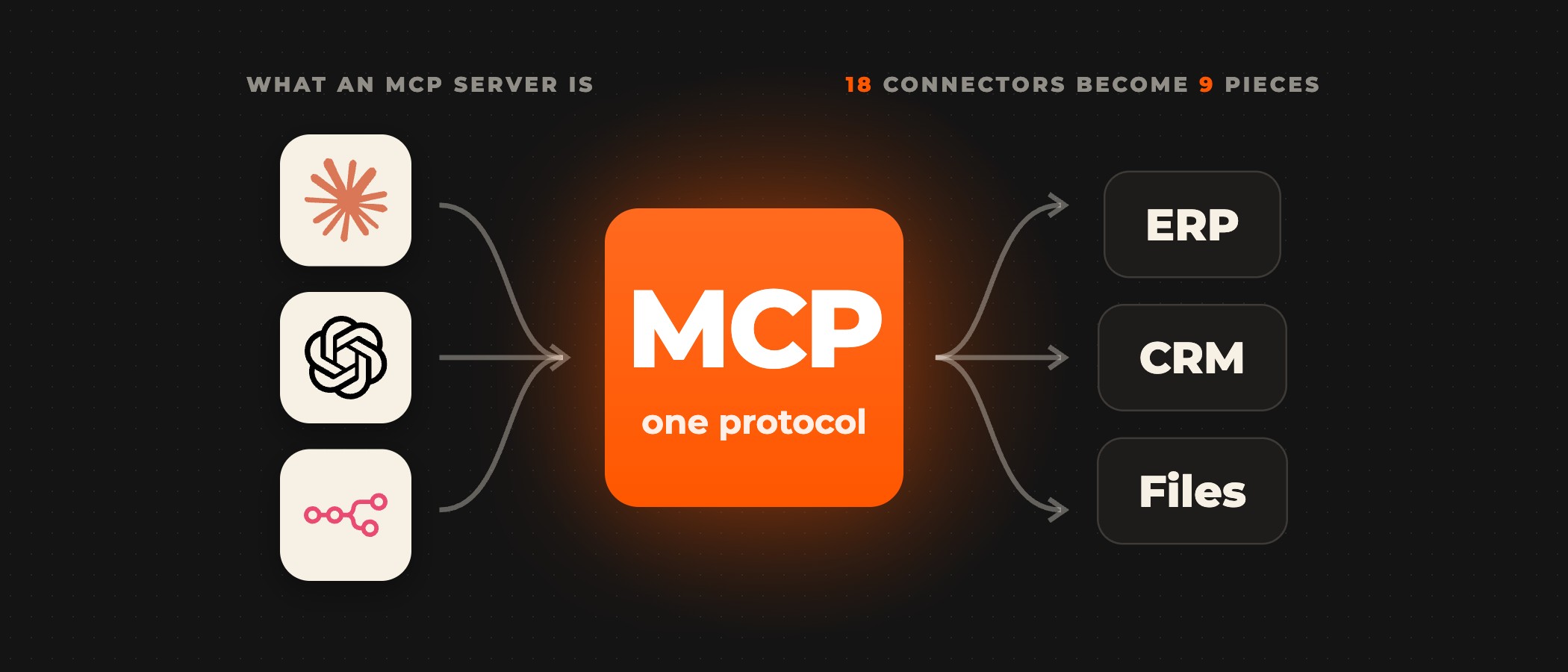
The build starts from the systems your teams work in, such as your CRM, ERP and internal APIs. A remote MCP server, secured with OAuth, gives the agent access to them. The server's connector and your skills then go into one Claude plugin, which Anthropic's Help Center describes as bundling "skills, connectors, and sub-agents into a single package". You install that plugin in Claude Cowork, and you upload the same package to Copilot Cowork, which converts it into a Microsoft 365 app package.
Microsoft's guide to building plugins for Copilot Cowork lists slash commands, sub-agents and hooks as not yet supported in the conversion. Each connector imported from a Claude plugin carries a placeholder authorization reference, which you replace with your own OAuth client registration ID before you publish. Copilot Cowork connectors are remote MCP servers over Streamable HTTP, according to Microsoft's guide to managing plugins, and a plugin you upload is shared with you or with people you choose until an admin approves it for the whole organization.
Each Copilot Cowork user can also write up to 50 custom skills of their own, and Microsoft's Copilot Cowork FAQ notes that "Microsoft doesn't validate custom skills created by users". For Claude Cowork, Anthropic's announcement of 24 February 2026 describes private plugin marketplaces that admins create to distribute a company's own plugins across the organization.
Ovidius builds on Copilot Cowork and Claude Cowork. For Copilot Cowork we build the remote MCP servers that connect Copilot Cowork to your CRM, ERP and internal APIs, secure them with OAuth and package them with your skills as a plugin your admin deploys, then set the spending limits and approvals and roll it out one team at a time. For Claude Cowork we connect it to the systems your teams already use, such as Jira and your CRM, and build the connectors your systems need when none exist yet.
Records, spending and cost
Each product keeps its own records. Copilot Cowork activity appears in the Microsoft Purview audit log under Copilot activities, and Microsoft's general availability post names sensitivity labels, Data Security Posture Management (DSPM) and eDiscovery among its controls. On Team and Enterprise plans, Anthropic captures Claude Cowork sessions in the Compliance API and lets you send usage, cost and tool activity to your own monitoring tools through OpenTelemetry. History from local Claude Cowork sessions stays on users' computers, outside Anthropic's standard data retention, and admins cannot manage or delete it centrally.
Copilot Cowork needs a Microsoft 365 Copilot license for each user and bills each task in Copilot Credits, where, in Microsoft's words, "PayGo is priced at $0.01 per Copilot Credit", with a discount for a P3 commitment. Claude Cowork comes with the paid Claude plan. Microsoft's general availability post also reports that its testing "showed that Copilot Cowork on average was 30-40% cheaper" than Claude Cowork, from "125 test runs across a total of 12 light, medium, and heavy work data prompts" with both products on Opus 4.8, run by Microsoft teams in June 2026. Microsoft adds that "Actual costs and potential savings may vary depending on usage, configuration, time, and other factors", so treat the figure as Microsoft's own test and price your own workload before you compare.
Choosing between Copilot Cowork and Claude Cowork
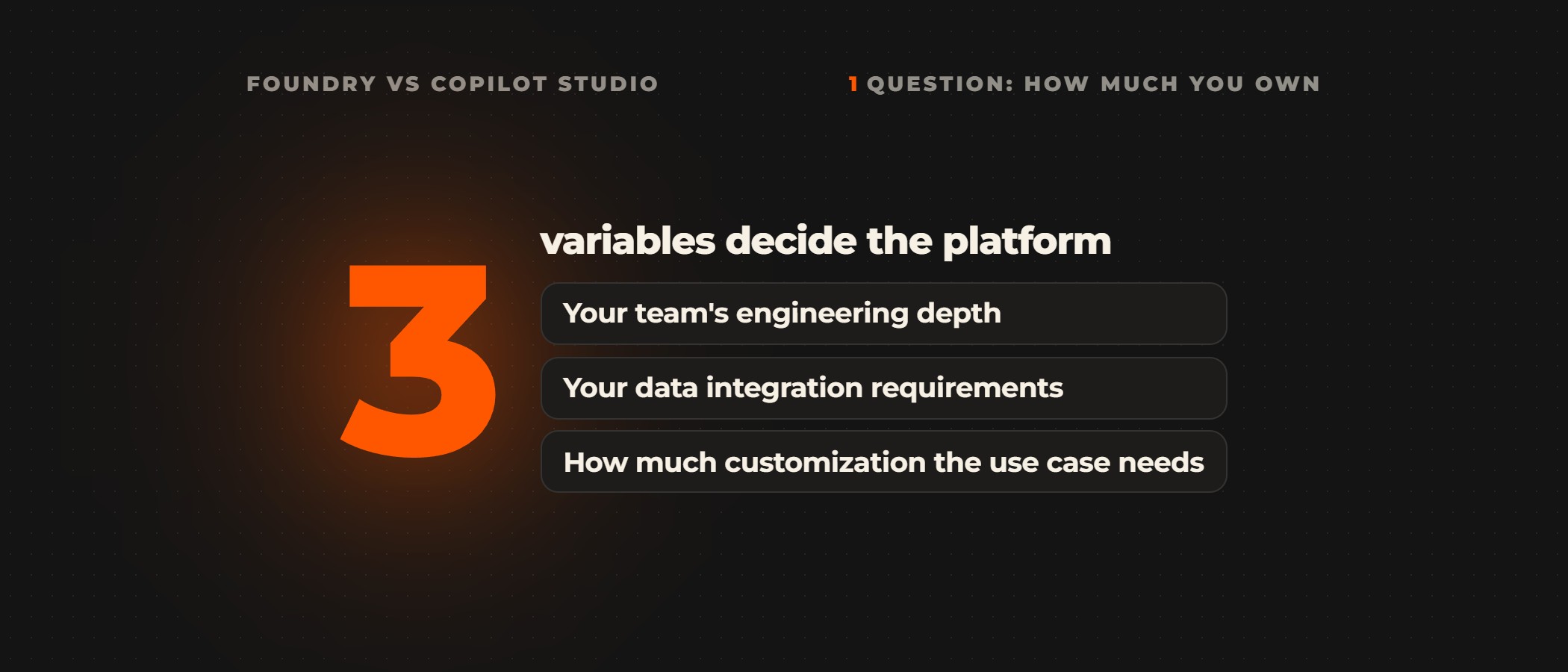
The choice follows where your teams already work and who administers their tools. If they run on Microsoft 365, Copilot Cowork works under the permissions, sensitivity labels and audit log you already administer, on a Copilot license plus Copilot Credits, once an admin turns it on. If you have no Microsoft 365 tenant, Claude Cowork runs on a paid Claude plan, in the cloud, and through Claude Desktop in the folders you connect.
If your tenant sits inside the EU Data Boundary, Microsoft's Copilot Cowork FAQ says only GPT models are supported there, so a tenant there cannot use Claude models in Copilot Cowork. If you are still deciding, we recommend building your skills and connectors once as a Claude plugin, installing it in Claude Cowork, uploading it to Copilot Cowork, and comparing the two on the same task.
To run that comparison on your own data, we build a working prototype on a test copy of your ERP, CRM or data warehouse in an AI proof of concept of 2 to 6 weeks, and you get a go/no-go report on accuracy, latency, token cost and total cost of ownership.
Frequently asked questions
What is Copilot Cowork?
Copilot Cowork is the agent in Microsoft 365 Copilot that carries out multi-step tasks for you. Microsoft's Copilot Cowork overview says it sends emails, schedules meetings, creates documents, posts in Teams and manages files in OneDrive and SharePoint, and that you approve each action before it happens. It needs a Microsoft 365 Copilot license, bills in Copilot Credits and stays off until an admin turns it on.
Does Copilot Cowork use Claude models?
Yes. Microsoft's Copilot Cowork FAQ says it "can use Anthropic Claude models as a subprocessor for most reasoning, drafting, and tool-using work". The model picker also lists GPT and Grok models, admins can turn Anthropic models off for their organization, and a tenant inside the EU Data Boundary gets GPT models only.
Can a Claude plugin run in Copilot Cowork?
Yes, once Copilot Cowork converts it. When you upload a Claude plugin package, Copilot Cowork turns it into a publishable package with its skills and connectors, according to Microsoft Learn. Slash commands, sub-agents and hooks are not supported yet, and each imported connector needs your own OAuth client registration ID before you publish the plugin.
Do you need Microsoft 365 to use Claude Cowork?
No. Claude Cowork is Anthropic's agent and comes with the paid Claude plans (Pro, Max, Ultra, Team and Enterprise), according to Anthropic's Help Center. It runs your sessions in the cloud, and through Claude Desktop it can work in folders you connect on your computer. On Team and Enterprise plans an owner turns it on for the organization.
How is Copilot Cowork billed?
Each user needs a Microsoft 365 Copilot license, and each task bills in Copilot Credits on top of it. Microsoft's general availability post of 16 June 2026 prices pay-as-you-go at $0.01 per Copilot Credit, with a discount for a P3 commitment. Admins grant access through spending policies that set limits per tenant, group and user.
Is Copilot Cowork cheaper than Claude Cowork?
In Microsoft's own testing it was. Copilot Cowork "on average was 30-40% cheaper" than Claude Cowork, according to Microsoft's general availability post, across 125 test runs of 12 work prompts, with both products on Opus 4.8. Microsoft adds that actual costs and savings may vary with usage, configuration and time, and the post cites no independent test, so compare the two on your own workload before you decide.
Weighing Copilot Cowork against Claude Cowork?
Book a discovery call. A senior partner runs the call and tells you which of your workflows suit Copilot Cowork or Claude Cowork, and which need a custom build, before anything is scoped.