Claude Cowork Security: Navigating Data Privacy, Permissions, and Enterprise Admin Controls


Claude Cowork's security rests on what you let it reach and when it must ask before it acts, and on Team and Enterprise plans an owner sets both. A task runs either in the cloud on Anthropic's infrastructure or on the user's computer with code in an isolated virtual machine, and in both cases Claude reads and writes only the folders, connectors and sites you allow. Claude pricing lists "No model training on your content by default" on the Team plan and "None by default" on Enterprise. Owners can turn off Cowork, cloud sessions, the built-in browser and Auto mode, and the "Always allow" setting for connector tools is off by default, so write-capable connector tools wait for approval on each task. Enterprise adds groups and custom roles, SCIM, audit logs, custom data retention, the Compliance API and IP allowlisting.
Three gaps remain on either plan. Network egress settings do not cover web search, web fetch or MCP connectors. History from local sessions stays on users' computers, outside Anthropic's standard retention policies and beyond central admin control. And Anthropic's guide to Cowork on Team and Enterprise plans says "the risk of prompt injection attacks is non-zero".
| Team | Enterprise | |
|---|---|---|
| Cowork | an owner can turn it off for everyone in the organization | groups and custom roles turn it on for specific teams |
| Cloud sessions | on by default on Team plans | off until an owner turns on Run Cowork in the cloud and grants it to a group through custom roles |
| Identity | single sign-on (SSO) on Team and Enterprise | SCIM, domain capture and role-based access with fine-grained permissioning on Enterprise only |
| Records | OpenTelemetry monitoring for Claude Cowork is available on Team and Enterprise plans | audit logs and the Compliance API |
| Retention | Team has no custom retention controls | custom retention sets how long Anthropic keeps what it stores, 30 days at the least |
| Network | Cowork follows your network egress settings | Enterprise adds IP allowlisting and network-level access control |
Where Cowork runs and what it can reach
Cowork runs each task in one of two places. In a cloud session, members "run tasks on Anthropic's infrastructure instead of their own machines". In a local session, "Claude's work runs on the user's computer, with code in an isolated virtual machine". Cloud sessions are on by default on Team plans. On Enterprise plans they stay off until an owner turns on Run Cowork in the cloud and grants it to a group through custom roles. Anthropic's safety guide for Cowork adds that "Each session gets its own environment, which is removed when the session ends."
That isolation protects the computer, and it leaves the data you hand Claude in reach. Anthropic's getting started guide says "Isolation protects your computer; it doesn't change what Claude can read or do through the access you've granted." On desktop, Claude can read and write only in folders you have connected, and the safety guide suggests "a dedicated working folder for Claude rather than granting broad access". Claude also asks for your explicit permission before it permanently deletes any file.
Anthropic does not train its models on business work by default. Its Privacy Center says it will not use chats or coding sessions from its commercial products to train its models unless the organization joins its Development Partner Program. Material a member reports through the thumbs up or down buttons may be used for training, Anthropic keeps that whole conversation for up to five years, and an owner of a Team or Enterprise plan can turn feedback off for the organization.
Where the data sits depends on the session. Cloud sessions and their files are saved to the member's Claude account. For local sessions, Cowork stores conversation history on users' computers, where Anthropic's standard retention policies do not apply and admins cannot centrally manage or delete it. On Enterprise, custom retention sets how long Anthropic keeps what it stores, 30 days at the least, and without a custom period data is retained indefinitely. Team has no custom retention controls. The getting started guide adds that a deleted Cowork task leaves the task history at once and Anthropic's backend storage within 30 days.
Health data needs one more check. The HIPAA configuration is "Available on Enterprise plans with an Anthropic account team", according to Anthropic's guide to Cowork on a HIPAA-ready Enterprise plan. The Team and Enterprise guide says that without it, "Cowork is available but not covered under your BAA", and that with it, Cowork in the cloud is not available.
Permissions: how much Claude may do without asking
Each Cowork task runs in one of three permission modes, which the getting started guide describes. In Manual mode, "Claude pauses and asks for approval for actions." In Auto mode, Claude "keeps working without stopping to ask about every step" and "automatically blocks anything it determines to be unsafe", though Anthropic warns that "It can miss risky actions." In Skip mode, "Claude doesn't pause to ask and nothing checks its actions automatically", a mode Anthropic describes for use "when you completely trust every action, connector, file, app, etc. involved in the task". The same guide asks you to review Claude's planned actions before allowing it to proceed, "especially when working with sensitive files".
Connectors carry their own approval rule. On Team and Enterprise plans, the setting "Allow "Always allow" for connector tools" is off by default, and it decides whether members can skip per-task approval for write-capable connector tools. Read-only tools skip that approval only when the connector marks them as read-only, and according to Anthropic, "Most custom connectors don't annotate their tools, so every tool on those connectors is gated." With the setting left off, each task that writes through a connector waits for a person's approval.
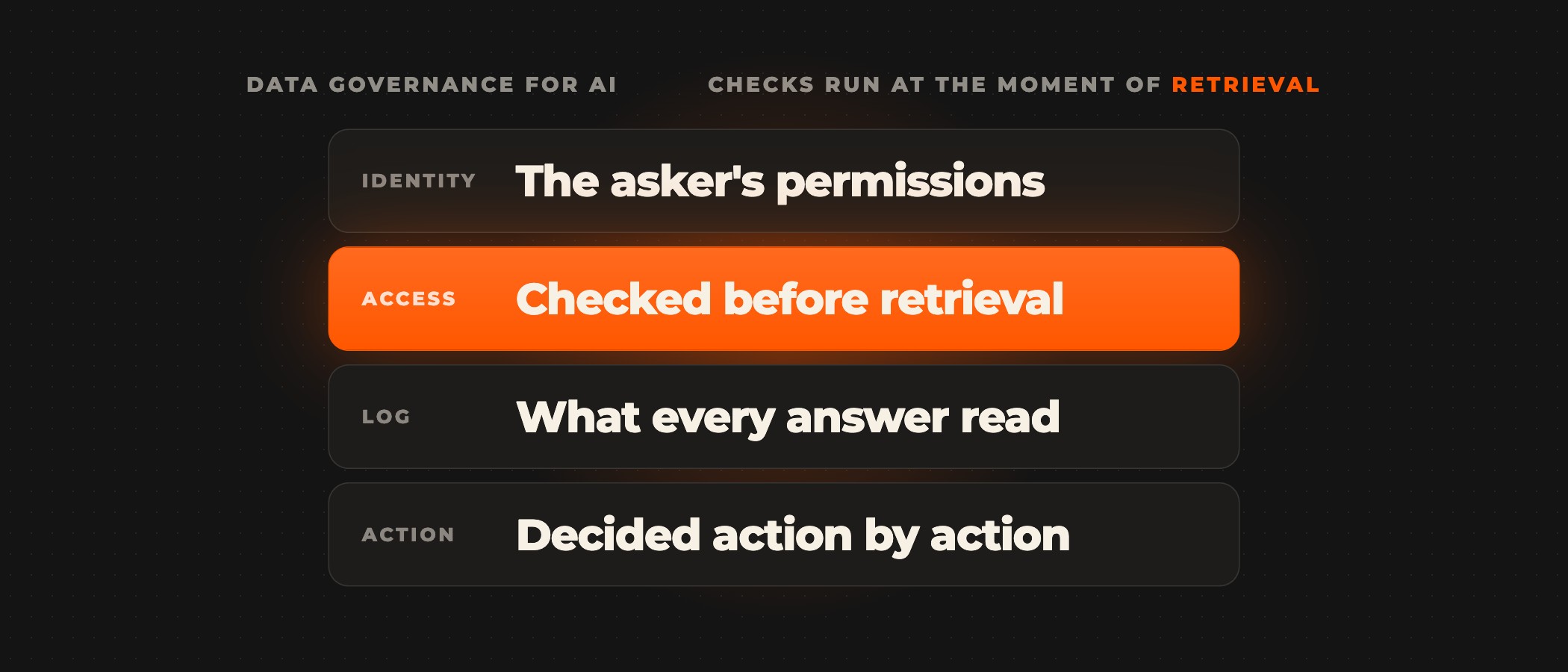
Approval governs what Claude does. What Claude may read depends on the access behind each source. Our own enterprise context layer, Enterprise Second Brain, now in early access, answers questions asked from Claude through MCP and runs each one "with the access that person already has in Google Drive or whichever system holds the file". Remove someone from a folder, and their next question no longer reaches it. It runs in your own cloud, or on a private instance we host for you.
Admin controls on Team and Enterprise plans
Cowork is on by default on Team and Enterprise plans, and an owner can turn it off for everyone in the organization. On Enterprise, groups and custom roles turn it on for specific teams, and where an organization has enabled HIPAA, Cowork starts off. Owners can also turn off the built-in browser and the availability of Auto mode. Plugins sit under the same switch as Cowork itself, and owners can build private marketplaces that set each plugin as installed by default, available to install, required or not available.
Identity controls come with the plan. Claude pricing lists single sign-on (SSO) on Team and Enterprise, and SCIM, domain capture and role-based access with fine-grained permissioning on Enterprise only. Network rules split the same way. On either plan Cowork follows your network egress settings, applied when a new session starts, and Enterprise adds IP allowlisting and network-level access control.
Egress settings stop short of three paths. The getting started guide says network egress permissions "don't apply to the web fetch or web search tools or MCPs, including Claude in Chrome". Those paths carry the content prompt injection works through, in which "malicious instructions are embedded in external content that Claude reads", so the safety guide advises giving Claude internet access only to sites you trust and taking particular care with unfamiliar MCPs and plugins.
Records: what you can see afterwards
"OpenTelemetry monitoring for Claude Cowork is available on Team and Enterprise plans", according to Anthropic's guide to monitoring Cowork, for cloud and local desktop sessions alike. It sends prompts, tool and MCP calls, file access, skill and plugin use, approval decisions, and API requests and errors to your own monitoring tools. Prompt text, Claude's responses and tool inputs are off by default in current versions of Claude Desktop. The Team and Enterprise guide adds that OpenTelemetry "doesn't replace audit logging for compliance purposes."
On Enterprise, audit logs and the Compliance API take that role. The Compliance API captures Cowork sessions from Claude, Claude Desktop and Claude Mobile, according to the Team and Enterprise guide, and returns sessions from the most recent 30 days, and Enterprise admins can retrieve local session content through it. Endpoint detection and response is in beta on macOS and Windows and does not cover cloud sessions.
Setting Cowork up before a team starts
An owner can settle these before the first team uses Cowork:
- Connect a dedicated working folder for Claude rather than broad access to a drive.
- Leave "Always allow" for connector tools off, so write-capable connector tools wait for approval on each task.
- Choose Manual mode for tasks that touch sensitive files, so someone reviews each planned action before Claude proceeds.
- Keep the built-in browser away from actions involving sensitive information, which the safety guide strongly advises against.
- Install only MCPs and plugins you trust, and hand them out through a private plugin marketplace.
- On Enterprise, turn Cowork on for one group first, set a custom retention period and read sessions through the Compliance API, and on either plan stream OpenTelemetry to your SIEM.
- Write down which data must never go into Cowork, which tools are approved and where a person reviews the output.
When we deploy Claude Cowork for a client, the first stage is architecture and security scoping. We review your systems, map the connections and set data boundaries, sandboxing and permissions while your current workflows keep running. With the people who will use each workflow, we set which actions wait for approval and when Cowork hands a task to a person. Each connector we build runs in staging on test data first and is reviewed by your IT team before it goes live.
Frequently asked questions
Is Claude Cowork safe to use with company data?
It can be, once the controls are set. Claude reads and writes only the folders, connectors and sites you allow, asks for your explicit permission before it permanently deletes any file, and Anthropic does not train on Team or Enterprise work by default. Leave "Always allow" off for connector tools and give Claude internet access only to sites you trust, because according to Anthropic's guide to Cowork on Team and Enterprise plans "the risk of prompt injection attacks is non-zero".
Does Anthropic train its models on Claude Cowork data?
Not by default on Team and Enterprise plans, according to Anthropic's Privacy Center, which says Anthropic will not use chats or coding sessions from its commercial products to train its models unless the organization joins its Development Partner Program. Material a member reports through the thumbs up or down buttons may be used for training and is kept for up to five years, and an owner can turn feedback off for the organization.
Where does Claude Cowork keep session history?
Cloud sessions and their files are saved to the member's Claude account, according to Anthropic's Help Center. Local sessions keep their conversation history on the user's computer, where Anthropic's standard retention policies do not apply and admins cannot centrally manage or delete it. On Enterprise, custom retention sets how long Anthropic keeps what it stores, 30 days at the least, and the Compliance API returns sessions from the most recent 30 days.
Do network egress settings cover everything Cowork does?
No. Cowork follows your network egress settings from the moment a new session starts, but Anthropic's getting started guide says those permissions do not apply to web search, web fetch or MCPs, Claude in Chrome included. Anthropic's safety guide advises giving Claude internet access only to sites you trust and taking care with unfamiliar MCPs and plugins, because prompt injection hides instructions in content Claude reads.
Is Claude Cowork covered by a HIPAA BAA?
Only with the HIPAA configuration, which Anthropic offers on Enterprise plans with an Anthropic account team. Anthropic's guide to Cowork on Team and Enterprise plans says that without it, Cowork is available but not covered under your Business Associate Agreement (BAA). With it, the BAA covers Cowork sessions in Claude Desktop, Cowork in the cloud is not available, and Cowork starts off until an owner turns it on.
Does OpenTelemetry replace audit logs for Cowork?
No. On Team and Enterprise plans, OpenTelemetry sends prompts, tool and MCP calls, file access, approval decisions and errors from cloud and local sessions to your own monitoring tools, but Anthropic says it "doesn't replace audit logging for compliance purposes". On Enterprise, audit logs and the Compliance API cover that, and according to Anthropic the Compliance API returns Cowork sessions from the most recent 30 days.
Rolling out Claude Cowork to a team?
Book a discovery call. Tell us which team goes first, and a senior partner scopes the rollout with you.