n8n MCP: Connecting AI Assistants and Agents to Your Workflows


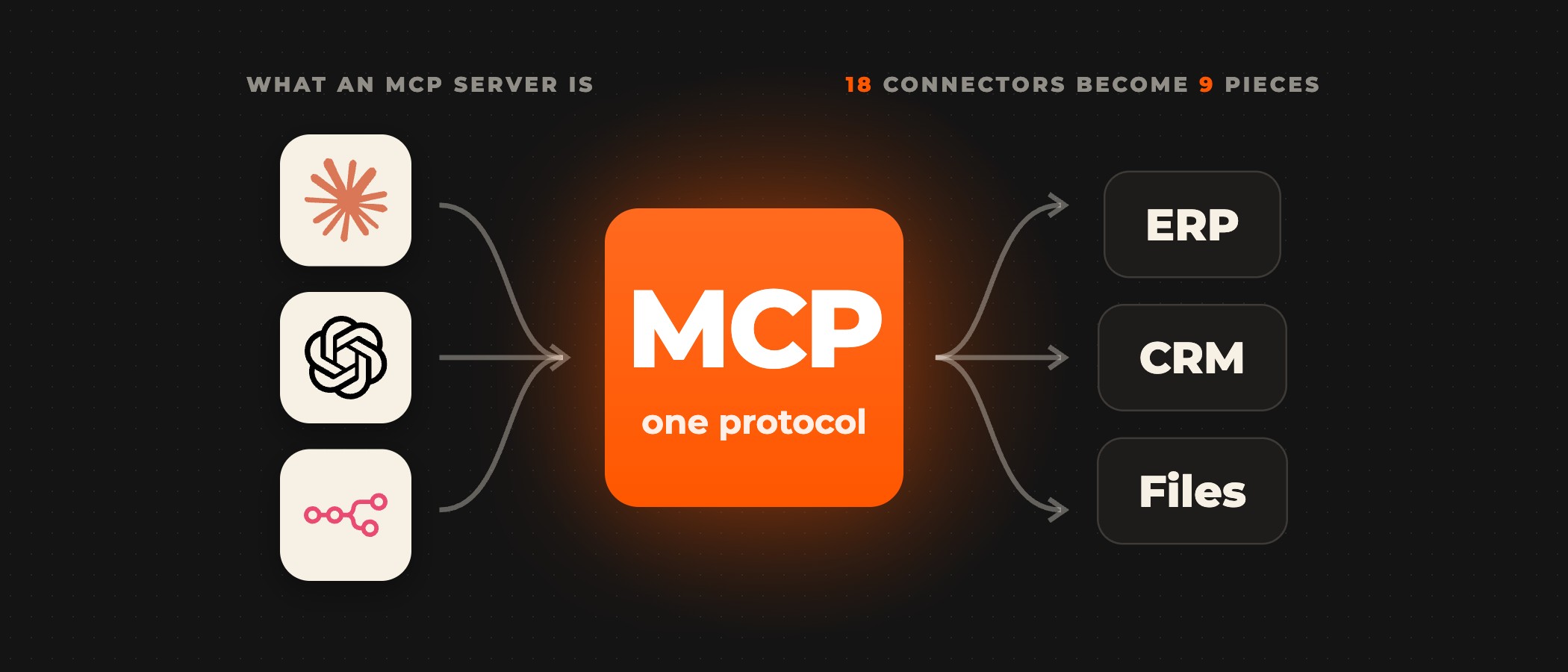
n8n works with the Model Context Protocol (MCP) in both directions. As an MCP server, it gives Claude Desktop, Claude Code, Cursor or your own agent a set of n8n workflows to call as tools, in one of two ways: instance-level MCP, one connection per n8n instance through which clients reach the workflows you enable, or the MCP Server Trigger node, a single workflow that acts as its own MCP server. As an MCP client, the MCP Client Tool node lets an n8n AI agent call the tools of an external MCP server. For an assistant or agent that acts on company systems, we recommend the MCP Server Trigger, because each workflow is a server of its own and exposes only the tools you attach to it. Instance-level MCP suits a person running their own workflows from Claude, or a coding agent that builds workflows.
MCP is "an open standard for connecting AI applications to external systems", in n8n's own description. Without it, each assistant needs its own connector to each tool it uses. A claude_desktop_config.json file on one developer's machine is enough for a prototype, but it gives nobody else the same tools, and its runs leave no record in one place your team can check. With n8n as the MCP server, the tool definitions, the credentials and the execution log sit in one instance, and every client you authorize calls the same workflows, whether the tool runs a database query, a CRM update or an API call.
How n8n acts as an MCP server and as an MCP client
Instance-level MCP is n8n's built-in MCP server, on n8n Cloud and on self-hosted instances. An instance owner or admin turns it on under Settings > Instance-level MCP, and clients connect to one Server URL that ends in /mcp-server/http, signing in with OAuth, which n8n recommends, or with an API key. No workflow is open to clients by default: you enable MCP access for each workflow, from its settings, from the workflow list or for a whole project or folder, and a client sees the rest only as search previews. From n8n 2.13, a client can also create and edit workflows, and n8n's docs suggest coding agents such as Claude Code over chat clients for that work. Access is not scoped per client: every client you connect sees every workflow you have enabled, and you cannot limit a workflow to one of them.
The MCP Server Trigger node makes one workflow an MCP server of its own. Unlike other triggers, it connects only to tool nodes: clients list the tools attached to it and call them individually, and an existing workflow becomes a tool through the Custom n8n Workflow Tool node. The node speaks Server-Sent Events (SSE) and streamable HTTP, not standard input/output (stdio), and you choose its sign-in on the node: n8n user OAuth, a bearer token, a header, or none. n8n registers a test URL while you listen for a test event, and a production URL when you publish the workflow.
In the other direction, the MCP Client Tool node connects an n8n AI Agent to an external MCP server, and its Tools to Include setting decides what the agent may call: all of the server's tools, a selected list, or all except a list. The MCP Client node calls one MCP tool as a regular step in a workflow, with no agent choosing, and the node panel carries a registry of MCP servers, such as Notion or Linear, that you connect to an agent by signing in.
The choice between the two server routes matters once an assistant can change records. Through instance-level MCP, an assistant connected under your account sees every workflow you have enabled for MCP, including the ones you meant for another client. With the MCP Server Trigger, a support assistant gets one workflow with the lookup tools it needs and a bearer token of its own, and a finance agent gets another, so each reaches only what it was built to reach.
Connecting Claude Desktop, Claude Code and Cursor
For instance-level MCP, turn on MCP access under Settings > Instance-level MCP, then copy the Server URL from the Connect a client dialog. It ends in /mcp-server/http, and it is not the address of your n8n editor. From n8n 2.33, the same dialog shows the setup for each client and offers one-click setup for Claude.ai, Cursor and VS Code.
| Claude Desktop | Claude Code | Cursor | |
|---|---|---|---|
| Connect | open Settings > Connectors and select Add custom connector | run claude mcp add --transport http n8n with the Server URL | use One-click setup, or add the Server URL to the project's .cursor/mcp.json file |
| Sign in | approve access when prompted | run /mcp and select n8n | approve access when Cursor redirects you back to n8n |
The MCP Server Trigger takes a different path. Publish the workflow so n8n registers its production URL, and set a bearer token or a header on the node. The node does not speak stdio, so for Claude Desktop's configuration file n8n documents a gateway: claude_desktop_config.json starts npx mcp-remote with the production URL and an Authorization header that carries the token.
Test with the prompts your users will send, and read each run in n8n. On the production URL, n8n does not show the data on the canvas, so open the workflow's Executions tab to see what the client sent and what the tools returned. A model sometimes sends a tool call with a missing field or a value in the wrong format. Check the inputs at the start of each tool workflow and return a structured error that names the field, so the model can correct the call and try again instead of the run failing.
For a tool that writes, sends or deletes, add a person's approval before the action runs. Inside n8n, an AI Agent can require human approval before it runs a specific tool; if the reviewer denies it, the action is cancelled and the agent is told.
Running n8n MCP in production
Once an assistant can query databases, update records or trigger deployments, every tool it can call is part of your attack surface. The threat model covers prompt injection, tools with wider permissions than their job needs, and credentials leaked through verbose error responses. The MCP security guide for enterprise deployments covers the controls in detail, including network policies, authentication layers and execution sandboxing.
Set a sign-in on every MCP Server Trigger node, since None is one of its options, and prefer OAuth for instance-level MCP. Review the clients connected under Settings > Instance-level MCP and revoke the ones you no longer use. n8n allows any OAuth callback URL by default, which its own docs call less secure, so switch Allowed callback URLs to Only trusted URLs. On a self-hosted instance that should offer no MCP at all, the environment variable N8N_DISABLED_MODULES=mcp removes the endpoints.
In queue mode with more than one webhook replica, route every /mcp* request to a single, dedicated webhook replica. The MCP Server Trigger relies on SSE or streamable HTTP, which need the same server instance for the whole connection, and n8n warns that without this routing those connections "will frequently break or fail to reliably deliver events". Behind nginx, turn off proxy buffering for the MCP endpoint, and let the headers MCP-Protocol-Version, Mcp-Method and Mcp-Name through any proxy, load balancer or firewall that forwards only an allowlist.
Self-hosting keeps the n8n editor, your credentials and every execution log on infrastructure you control, and it makes the setup above your team's job. As an official n8n Select Partner, Ovidius designs, builds and runs workflows and AI agents on self-hosted n8n in your own cloud, with a named owner for each workflow and a named approver who signs off before an agent sends, writes or deletes.
Frequently asked questions
What is the n8n MCP server?
It is the MCP server built into n8n, called instance-level MCP in n8n's settings. An owner or admin turns it on, and clients such as Claude Desktop, Claude Code or Cursor connect to one Server URL per instance with OAuth or an API key. Clients can then search workflows, run the ones you have enabled for MCP and, from n8n 2.13, create and edit workflows. A single workflow can also act as its own MCP server through the MCP Server Trigger node.
Does n8n Cloud support MCP?
Yes. n8n documents instance-level MCP for n8n Cloud and self-hosted instances alike, switched on under Settings > Instance-level MCP, and the MCP Server Trigger and MCP Client Tool are built-in nodes. On n8n Cloud, the Server URL is your instance's domain, such as your-instance.app.n8n.cloud, followed by /mcp-server/http. A self-hosted instance can also remove MCP entirely with the environment variable N8N_DISABLED_MODULES=mcp.
Can every connected AI client see all of my workflows?
No. Through instance-level MCP, a client can search previews of the workflows your account can view, but it can read, run or change only the workflows you have enabled for MCP. Every client you connect sees the same enabled set, and n8n cannot limit a workflow to one client. Where two assistants should reach different tools, give each one its own MCP Server Trigger workflow with its own sign-in.
Does the MCP Server Trigger work in queue mode?
Yes. With a single webhook replica it works as expected. With several webhook replicas, n8n says to route every /mcp* request to a single, dedicated webhook replica, because SSE and streamable HTTP connections need the same server instance throughout; without that routing, n8n warns, the connections will frequently break or fail to deliver events. Behind nginx, turn off proxy buffering for the MCP endpoint as well.
Can an n8n AI agent use tools from another MCP server?
Yes. Attach the MCP Client Tool node to the AI Agent, give it the server's endpoint and a sign-in (bearer, header, multiple headers or OAuth2), and choose under Tools to Include whether the agent gets all of the server's tools, a selected list, or all except a list. For servers in n8n's registry, such as Notion or Linear, you can connect from the node panel by signing in.
Ready to move your MCP prototype into production?
A senior partner leads the first call, and on it you talk to the engineers who would do the work about which workflows become tools, how each client signs in and how the instance runs. How long each stage takes depends on the work, so we tell you before you commit. Schedule a consultation to map out the architecture.