What Is Claude Cowork? What It Does and Who It Suits


Claude Cowork is Anthropic's agent for multi-step knowledge work. You give Claude a goal, and it works across the folders and tools you choose, shows each step, and hands back finished work for you to review, such as a spreadsheet with working formulas, a slide deck or a formatted document. Anthropic's Help Center says Cowork "uses the same agentic architecture that powers Claude Code, with no terminal required", and its product page says "Cowork is built for non-coding knowledge work". It comes with the paid Claude plans: Pro, Max, Ultra, Team and Enterprise.
Since 16 September 2026, Cowork and chat are one Claude. Anthropic's announcement, "Claude Cowork and chat are now one Claude", says that "what Cowork and Design can do is available from any conversation", so you ask for the work in a conversation and Claude uses Cowork's capabilities when a task needs them. The merged Claude reached Enterprise plans on 23 October and Team plans on 12 November. The Help Center describes Cowork as bringing Claude Code's agentic capabilities "to knowledge work beyond coding".
What Claude Cowork does
A Cowork task starts from the outcome you describe. "Tell Claude what you need, not how," the product page advises. Claude then plans the work and splits big projects "into chunks that run together". On desktop it reads from and writes to your local files without uploads or downloads, and for tasks that touch websites it can "open sites, read pages, click, type, and fill forms". The work runs on Anthropic's servers in an isolated environment, so a session keeps running when the desktop app is closed or your computer is asleep. Throughout, Claude shows each step: the files it opens, the tools it uses and the choices it makes.
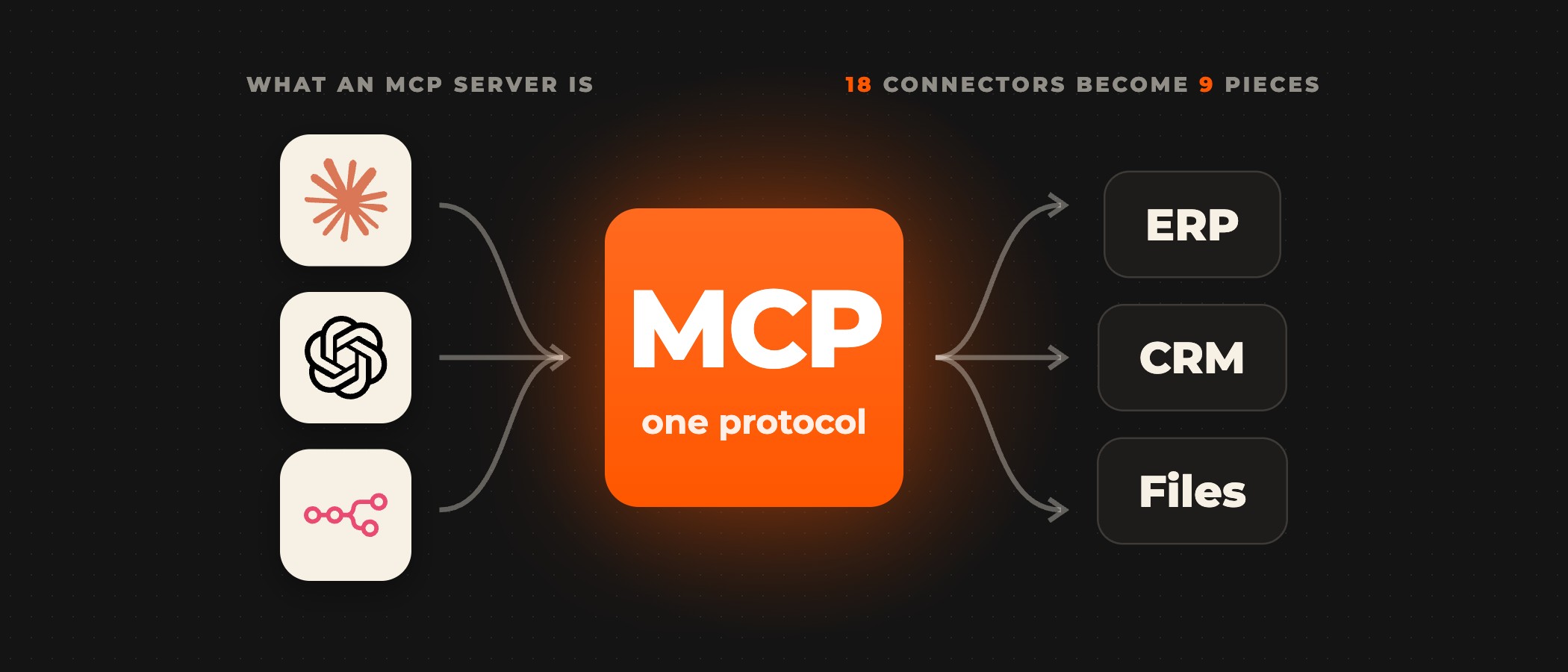
Connectors, skills, plugins and scheduled tasks set what Claude can reach and when it works. Connectors link Claude to your tools and data through MCP, the open standard Claude uses to reach other systems, and skills teach it a reusable workflow with your own instructions, as Anthropic's Cowork documentation describes them. A plugin bundles "skills, connectors, and sub-agents into a single package". A scheduled task runs a saved task "on-demand or automatically on a cadence of your choosing", in the cloud, so a weekly report arrives without anyone opening the app. Projects group related tasks into workspaces with their own files, context, instructions and memory.
You decide how often Claude stops to ask. By default, Claude asks before taking an action, and the Help Center describes three permission modes. In Manual, Claude pauses and asks for approval for actions, so each one waits for your approval; Anthropic points to Manual to approve every action that needs approval yourself. In Auto, Claude keeps working without stopping to ask about every step, and an automated check that reviews each action for safety and can miss risky actions takes your place, so Auto is for work you watch, when you stay close and review what Claude does. In Skip, Claude doesn't pause to ask and nothing checks its actions automatically, and Anthropic says to use it only when you completely trust every action, connector, file and app involved. In every mode, Claude asks for your explicit permission before it permanently deletes any file.
| Manual | Auto | Skip | |
|---|---|---|---|
| Claude | pauses and asks for approval for actions | keeps working without stopping to ask about every step | doesn't pause to ask |
| Checks | your approval | an automated check that reviews each action for safety and can miss risky actions | nothing checks its actions automatically |
| Use it | to approve every action that needs approval yourself | when you stay close and review what Claude does | only when you completely trust every action, connector, file and app involved |
Cowork uses more of a plan's allowance than a quick question. The product page says "Claude Cowork consumes limits faster than Chat", and the Help Center explains that each step Claude takes uses tokens, so a task that runs code, creates files or uses your connected apps and browser costs more than a single answer.
Who Claude Cowork is for
Cowork fits people whose work repeats as a sequence of steps across files and tools, and who can check the result. Anthropic's product page gives four examples. For finance, it is recurring close work: you point Claude at the folder of regional exports and budget files, and come back to a working spreadsheet with variances flagged and a note on what didn't reconcile. For legal, it is first-pass contract review: you point Claude at the folder of inbound agreements and your playbook, and come back to a memo per contract with each departure it identifies cited to the clause, and the gaps your playbook doesn't cover marked for your review.
For marketing, the same page's example prompt is "Every Monday morning, build last week's marketing readout." You schedule the report once, and Claude pulls the numbers, compares them to the period before and builds the deck. For sales, Anthropic's Cowork page has you point Claude at a quarter of call notes and come back to a memo on where every open deal stands, what the customer said was blocking it and which objections keep coming up, each one quoted from the note it came from.
Each Cowork session belongs to one person. The Help Center says "Sessions can't be shared with others, but you can share individual artifacts you create during a session." A team shares the set-up instead. On Team and Enterprise plans, owners can create plugin marketplaces to distribute curated plugins across the organization, as Anthropic's guide to Cowork on Team and Enterprise plans describes.
The same guide sets out what admins control. Claude Cowork is on by default, and organization owners can turn it off; organizations with HIPAA enabled start with it off. Enterprise plans can use groups and custom roles to turn Cowork on for specific teams. Owners can stream Cowork events to their SIEM and observability tools through OpenTelemetry, and Cowork sessions are captured in the Compliance API. History from local sessions stays on users' computers, outside Anthropic's standard data retention, and admins cannot manage or delete it centrally.
Where to start with Claude Cowork
Cowork is easy to switch on for one person. Making it work reliably for a whole department takes connectors to your systems, access to your documents and rules for what it may do, so we start with one team and one workflow that runs by hand every day. Ovidius connects Cowork to the systems your teams already use, such as Jira and your CRM, builds the connectors your systems need when none exist yet, and sets which actions wait for approval and when Cowork hands a task to a person.
Scope that workflow before you hand Claude its goal: who owns it, what starts it, its steps, the systems and data it touches, where a person checks the result and how you will measure success.
Frequently asked questions
What is Claude Cowork?
Claude Cowork is Anthropic's agent for multi-step knowledge work. You give Claude a goal, and it works across the folders and tools you choose, shows each step and hands back finished work for review. It uses the same agentic architecture as Claude Code, with no terminal required, and Anthropic built it for non-coding knowledge work such as close work in finance, contract review in legal and weekly marketing readouts.
Is Claude Cowork part of Claude chat now?
Yes. On 16 September 2026 Anthropic merged Cowork and chat into one Claude, so what Cowork can do is available from any conversation, and Claude uses Cowork's capabilities when a task needs them. According to Anthropic's announcement, the merged Claude reached Enterprise plans on 23 October and Team plans on 12 November.
Which Claude plans include Cowork?
Cowork comes with the paid Claude plans (Pro, Max, Ultra, Team and Enterprise), according to Anthropic's Help Center. It uses more of a plan's limits than chat, because each step Claude takes uses tokens, so a multi-step task that creates files or uses connected apps costs more than a quick question. On Team and Enterprise plans it is on by default, and owners can turn it off.
Can a team share a Cowork session?
No. Anthropic's Help Center says sessions can't be shared with others, but you can share individual artifacts you create during a session. A team shares the set-up instead. On Team and Enterprise plans, owners can create plugin marketplaces to distribute curated plugins, each bundling skills, connectors and sub-agents, across the organization.
Does Claude Cowork ask before it acts?
By default it does. In Manual mode Claude pauses and asks for approval for actions, in Auto an automated check reviews each action and can miss risky actions, and in Skip nothing checks its actions automatically. Whatever the mode, Claude asks for your explicit permission before it permanently deletes any file, according to Anthropic's Help Center.
What can admins control in Claude Cowork?
On Team and Enterprise plans, owners can turn Cowork off for the organization, and Enterprise plans can use groups and custom roles to turn it on for specific teams. Owners can stream Cowork events to SIEM and observability tools through OpenTelemetry, and sessions are captured in the Compliance API. History from local sessions stays on users' computers, and admins cannot delete it centrally.
Choosing the first workflow for Claude Cowork?
Book a discovery call. A senior partner runs the call and tells you which of your workflows suit Cowork before anything is scoped.