Claude Cowork vs Claude Code: How to Align Anthropic's Agentic Tools with Your Team's Workflow


Claude Code is Anthropic's agent for software engineering: writing, debugging and shipping code. Claude Cowork is its agent for non-coding knowledge work, such as research, analysis and documents. Give Claude Code to the engineers who work in a repository, and give Cowork to everyone whose work ends in a document, a spreadsheet, a deck or a report. Both come with the same paid Claude plans (Pro, Max, Ultra, Team and Enterprise), so running both does not mean buying a second tool. Anthropic's Claude Cowork product page draws the same line: "Claude Code is built for software engineering" and "Cowork is built for non-coding knowledge work".
There are three ways to roll them out: Claude Cowork for the whole company, Claude Code for developers only, or both, each for its own work. We recommend the third. Cowork uses "the same agentic approach as Claude Code", which is why they are easy to confuse, but each is built for different work.
| Claude Cowork | Claude Code | |
|---|---|---|
| Built for | non-coding knowledge work, such as research, analysis and documents | software engineering: writing, debugging and shipping code |
| Works on | spreadsheets with working formulas, slide decks and reports | your codebase: it edits files, runs commands and works with git |
| Runs in | Claude Desktop, web and mobile, with tasks running in the cloud | the terminal, VS Code and JetBrains, the Claude desktop app and the browser |
| Asks before | permanently deleting any file, with three permission modes for the rest | editing a file or running a shell command beyond a read-only set |
| Admins | an owner can switch it off for the organization; groups and custom roles on Enterprise | managed settings that user and project settings cannot override |
| Plans | Pro, Max, Ultra, Team and Enterprise | Pro, Max, Ultra, Team and Enterprise |
What each tool does and where it runs
Claude Code reads your codebase, edits files, runs commands and works with git: it stages changes, writes commit messages, creates branches and opens pull requests, according to Anthropic's Claude Code overview. A developer can ask it to write tests for a module, run them and fix any failures. It runs in the terminal, VS Code and JetBrains, the Claude desktop app and the browser, and in GitHub Actions or GitLab CI/CD it reviews pull requests and triages issues. For a larger task, Claude Code can split the work across subagents that handle different parts of it at the same time.
Claude Cowork takes on "complex, multi-step work that benefits from file access and extended execution time", according to Anthropic's guide to getting started with Claude Cowork. It builds Excel spreadsheets with working formulas, slide decks from rough notes or meeting transcripts, and reports that combine web searches, articles and notes. Cowork runs on Claude Desktop, web and mobile, with tasks running in the cloud, and the desktop app comes for macOS, Windows and Linux (in beta). On desktop it reads and writes local files, but only in the folders you connect, and it uses a browser built into the desktop app. Scheduled tasks run in the cloud, so they do not need the computer awake or the app open.
Neither tool is tied to one screen, since both run in the Claude desktop app and Cowork needs no terminal. Claude Code works on your codebase: it edits files, runs commands and works with git. Cowork works on spreadsheets with working formulas, slide decks and reports.
Which team gets which
Software engineers and DevOps engineers who work in a repository get Claude Code. It reads the codebase, edits the files, runs the tests and opens the pull request in the tools they already use, and DevOps engineers can add it to the CI pipeline to review pull requests and triage issues.
Product managers, technical writers and operations leads get Cowork, with no terminal required. A product manager drafts the spec or the deck from rough notes, meeting transcripts and research. An operations lead builds spreadsheets with working formulas and reports that combine web searches, articles and notes.
The tools meet at the hand-off. A product manager drafts the spec in Cowork, and an engineer gives that spec to Claude Code, which writes the code, runs the tests and opens a pull request for a person to review before anything merges.
What admins control in each
On Team and Enterprise plans, Claude Cowork is on by default, and an owner can switch it off for the organization; groups and custom roles on Enterprise turn it on for specific teams only, according to Anthropic's guide to Claude Cowork on Team and Enterprise plans. Owners can create plugin marketplaces to distribute curated plugins across the organization and stream Cowork events to their SIEM and observability tools through OpenTelemetry, and Enterprise admins retrieve Cowork sessions through the Compliance API. History from local sessions stays on users' computers, outside Anthropic's standard data retention, and admins cannot manage or delete it centrally.
Each tool sets when it asks before acting. Cowork asks for explicit permission before permanently deleting any file, with three permission modes for the rest (Manual, Auto and Skip), according to Anthropic's Help Center. Claude Code reads files without asking and, according to its permissions guide, asks before editing a file or running a shell command beyond a read-only set of commands.
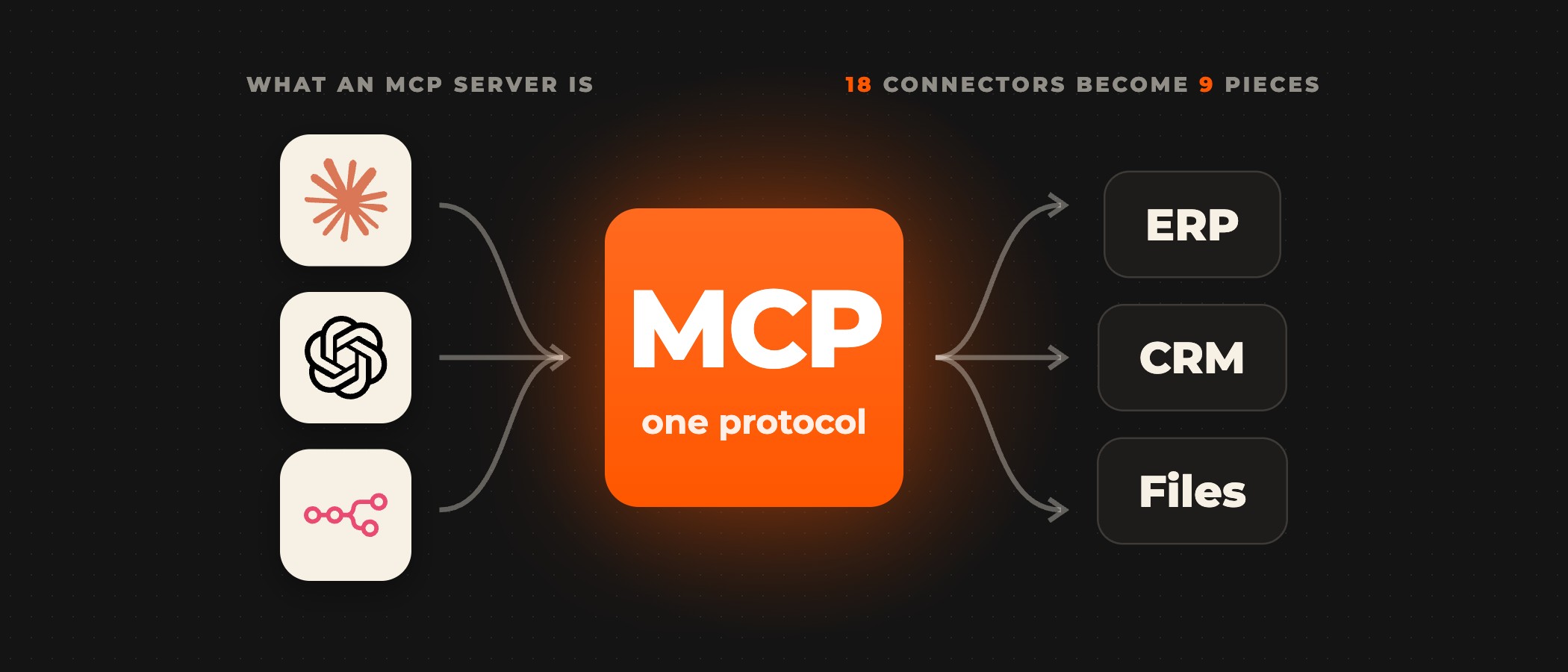
For Claude Code, administrators deploy managed settings that user and project settings cannot override, so a rule that denies a command holds for every developer. The same settings can switch off the bypass and auto modes, in which Claude Code acts without asking you first. Both tools reach other systems through MCP, the open standard Claude uses to connect to tools such as Jira and Google Drive.
Where Ovidius fits
We deploy Claude Cowork for the teams that do knowledge work and connect it to the systems they already use, such as Jira and your CRM, building the connectors your systems need when none exist yet. We set which actions wait for a person's approval. For engineering teams we build code review and test drafting on Claude: it reviews each commit against your security policies, flags vulnerabilities and drafts unit tests before a person reviews the code. An AI pilot takes 2 to 6 weeks, and the timeline of a full build is set in scoping.
Frequently asked questions
What is the difference between Claude Cowork and Claude Code?
Claude Code is Anthropic's agent for software engineering: it reads a codebase, edits files, runs commands and works with git. Claude Cowork is its agent for non-coding knowledge work, such as research, analysis and documents, spreadsheets and decks. Cowork uses the same agentic approach as Claude Code, with no terminal required, so what decides between them is whether the work is code.
Do you need a separate plan for Claude Code and Claude Cowork?
No. Both come with the paid Claude plans (Pro, Max, Ultra, Team and Enterprise), and Anthropic's pricing page lists "Claude Code and Claude Cowork" among the Team plan's features. The free plan does not include Claude Code. Usage limits differ by plan, and Anthropic's Claude Cowork product page notes that Cowork "consumes limits faster than Chat".
Does Claude Code only run in the terminal?
No. Claude Code runs in the terminal, VS Code and JetBrains, the Claude desktop app and the browser, and Anthropic's Claude Code overview says every surface connects to the same Claude Code engine, so a repository's CLAUDE.md files, settings and MCP servers work in all of them. In GitHub Actions or GitLab CI/CD it reviews pull requests and triages issues.
Can Claude Cowork work with files on your computer?
Yes, on desktop. Through Claude Desktop, Cowork reads and writes local files, but only in the folders you connect, and it asks for explicit permission before it permanently deletes any file. Its tasks run in the cloud, so a task that uses local files or your browser needs the desktop app open, while scheduled tasks run without it.
Can you stop Claude Code from running commands without approval?
Yes. Claude Code asks before it edits a file or runs a shell command beyond a built-in set of read-only commands, and administrators can deploy managed settings that user and project settings cannot override. Those settings can deny a command for every developer and switch off the bypass and auto modes, in which Claude Code acts without asking first.
Can admins turn Claude Cowork off?
Yes. On Team and Enterprise plans Cowork is on by default, and an organization owner can switch it off for everyone. Enterprise plans can use groups and custom roles to turn it on only for specific teams, and plugins sit under the same switch. Enterprise admins retrieve Cowork sessions through the Compliance API, and owners can stream Cowork events to their own monitoring tools through OpenTelemetry.
Rolling Claude out to more than one team?
Book a discovery call. Tell us which team goes first, and a senior partner scopes the rollout with you.