Kestra vs n8n: Choosing the Right Engine for Your Production Workflows

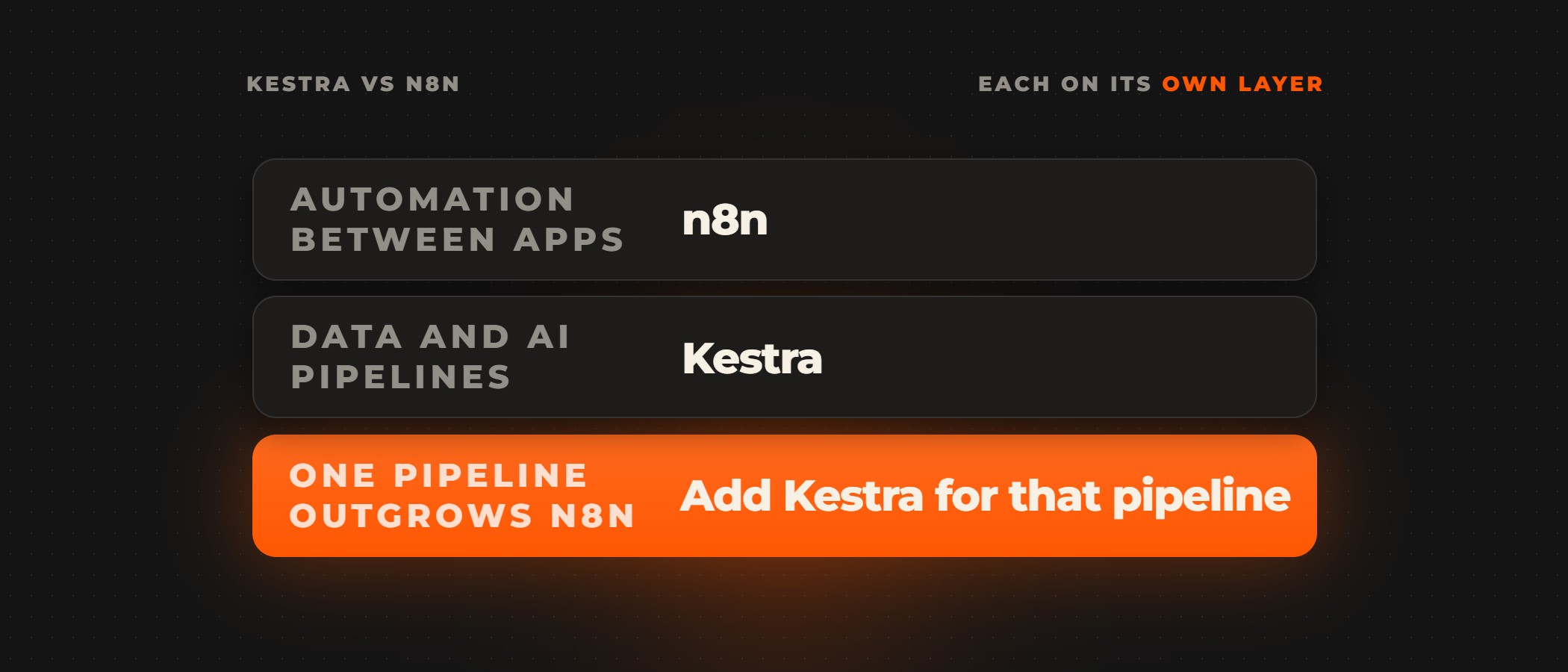
Kestra vs n8n comes down to the layer of your stack where a workflow lives. Use n8n for automation between apps: a form comes in, the CRM updates and the team gets a Slack message, or an AI agent works through a task while a person approves its riskier steps. Use Kestra for the data and AI pipelines behind those apps: flows that load and transform data on a schedule or an event, and run Python and other scripts, each in its own container by default. A stack can run both, each on its own layer, with n8n in front and Kestra behind.
The two tools start from different places. n8n describes itself in its documentation as a fair-code licensed workflow automation tool that combines AI features with business process automation. Kestra describes itself in its repository as an open-source, event-driven orchestration platform for data, AI and infrastructure workflows. Put either one on the other's layer and your engineers spend their time on work the tool was not built for.
| n8n | Kestra | |
|---|---|---|
| Built for | automation between apps | the data and AI pipelines behind those apps |
| Built in | a visual builder, with a Code node for custom JavaScript or Python | a declarative YAML file, with a No-Code editor that edits the same flow |
| Trigger | a trigger node, such as a webhook or a schedule | a schedule or an event |
| License | the Sustainable Use License, fair-code and not open source | Apache 2.0, open source |
| Paid features | Business and Enterprise plans | the Enterprise Edition |
Where n8n fits
n8n runs workflows where a trigger in one app, such as a webhook, starts work in another: a CRM record update, a form submission, a Slack message that should become a ticket. An n8n workflow starts at a trigger node, such as a webhook or a schedule. Its Webhook node receives data from apps and services when an event occurs and starts the workflow, and the Schedule Trigger node runs workflows at fixed intervals and times. n8n lists 500+ native integrations, plus any API over HTTP for systems without one. Workflows are built in a visual builder, with a Code node for custom JavaScript or Python when a step needs it; n8n's home page promises workflows anyone can follow.
n8n is also where we build AI agents that work inside business apps. Its AI nodes use LangChain's JavaScript framework, and n8n can require human approval before an AI Agent executes a specific tool, so the workflow pauses until a person approves or denies the action.
The n8n workflows we build in production fall into three kinds:
- App-to-app automation: records moving between Salesforce, HubSpot, SAP and your internal APIs, with retries and a log of every write.
- AI agents with an approval step: an agent reads a ticket, email or document, looks up context in your CRM or knowledge base, then acts or hands off to a person.
- Self-hosted workflows: n8n deployed on-prem or with Docker, so the editor, your credentials and every execution log stay on infrastructure you control.
To scale, n8n runs in queue mode, with Redis and workers you add or remove. In n8n's queue mode guide, a main instance receives triggers and webhooks, Redis queues the executions, and you scale by adding or removing workers. Throughput depends on workflow complexity, payload size and infrastructure, so we do not quote a benchmark; we first estimate how many workflow runs you expect, which also decides the plan you need.
Where Kestra fits
Kestra runs the data and AI pipelines behind your apps. Each flow is a declarative YAML file, with a No-Code editor that edits the same flow: Kestra's README says the YAML editor, the No-Code editor and the AI Copilot all edit the same flow and stay in sync. Because the flow is text, it is kept in Git and moved from dev to staging to production like any other code.
A Kestra flow starts on a schedule or an event. Its core trigger types cover a cron schedule, an inbound webhook, another flow finishing, new data found by polling an external system, and realtime events from a streaming source, and plugins add triggers such as a file landing in S3 or a message on an SQS or Kafka queue. Realtime triggers can also start a flow when a row is added, modified or deleted in Postgres, MySQL or SQL Server.
Kestra is the better fit when a step needs a data library, a model call or a shell command that a visual builder cannot express cleanly. It has dedicated plugins for Python, R, Julia, Ruby, Node.js, Powershell and Shell, and by default Kestra runs each script task in its own Docker container; a compute-intensive step can launch a Kubernetes job instead.
The Kestra platform is worth a serious look once your team runs scheduled data jobs and spends real engineering time keeping them alive. On Kestra we move data from Salesforce and Shopify into Snowflake, and we build flows that update vector databases and run model fine-tuning, with human review built into the flow as a task. For teams moving off Airflow or cron, we translate Airflow DAGs into declarative YAML and keep the business logic, and we bring scripts and cron jobs under one scheduler with retries, logs and alerts.
Licenses: Apache 2.0 and fair-code
Kestra's core is Apache 2.0, open source, and the license file sits in Kestra's GitHub repository. Kestra sells the Enterprise Edition, which adds features such as SSO, RBAC, multi-tenancy and audit logs, with dedicated support under SLAs. The open-source edition supports a single Basic Authentication account, so a team that needs individual user accounts and single sign-on needs the Enterprise Edition.
n8n uses the Sustainable Use License, fair-code and not open source by its own account. Its license page explains that open source licenses can't include limitations on use, so n8n does not call itself open source. Under n8n's License FAQ, the Community license is free for the self-hosted version when workflows are only created or modified by you or people in your organization; it does not cover hosting n8n as a service where your clients build workflows, or letting external users build workflows through your product. n8n sells Business and Enterprise plans, with a license key that unlocks paid features such as SSO, environments and log streaming.
Running both: n8n in front, Kestra behind
Rather than treating Kestra vs n8n as a migration decision, give each tool its own layer. n8n handles the integration layer between your apps. Kestra handles the data and AI pipelines that run on a schedule or an event and need retries and error handling when a step fails.
The handoff is a webhook. An n8n workflow catches the event in a business app and calls a Kestra flow's webhook trigger. Kestra runs the pipeline, loading the data and running each script task in its own container by default, then posts the result to Slack. Add Kestra beside an existing n8n setup when a workflow's job is moving or transforming data rather than connecting apps, or when a step needs containerized execution that the visual canvas cannot hold.
Both run on your own infrastructure: n8n on-prem or with Docker, and Kestra on Docker, Kubernetes, AWS, GCP or Azure, as its installation guide lists.
Which engine runs which workflow
If your workflows connect SaaS tools, process webhooks and run AI agents with a person approving their actions, start with n8n. If you run batch data pipelines, update vector databases, run model fine-tuning or orchestrate multi-step ETL that needs containerized execution, Kestra is the engine for it. If n8n already runs your app-to-app work and one pipeline outgrows it, keep n8n where it fits and add Kestra for that pipeline.
We build on both. A senior partner runs the first call, and if Kestra is already in your architecture plan, we skip another evaluation and go straight to scoping.
Frequently asked questions
Is Kestra open source?
Yes. Kestra's core is licensed under Apache 2.0, as Kestra's GitHub repository states, so a company can run it in production without a license fee. Kestra also sells a separate Enterprise Edition that adds features such as SSO, RBAC, multi-tenancy and audit logs, and dedicated support under SLAs. The open-source edition supports a single Basic Authentication account, so a team that needs individual user accounts and single sign-on needs the Enterprise Edition.
Is n8n open source?
No, by n8n's own account. n8n uses the Sustainable Use License and the n8n Enterprise License, which it calls fair-code. Its license page says open source licenses can't include limitations on use, so n8n does not call itself open source. The Community license is still free for the self-hosted version when only you or people in your organization create or modify the workflows.
Can Kestra replace n8n?
Partly. Kestra can start a flow from a webhook and call APIs, so it can take over some app-to-app work, but n8n is built for that layer, with a visual builder, 500+ native integrations by n8n's count and human approval before an AI agent runs a tool. Where n8n already runs your app-to-app work, keep it there and give Kestra the data and AI pipelines behind it.
How does n8n hand work to Kestra?
Through a webhook. An n8n workflow catches the event in a business app and calls a Kestra flow's webhook trigger. Kestra then runs the pipeline, with each script task in its own container by default, and posts the result to Slack. n8n stays the layer between your apps, and Kestra carries the data work that needs retries, logs and alerts.
Which one is better for Python?
Kestra, for pipelines built around scripts. Kestra has dedicated plugins for Python and other languages and runs each script task in its own Docker container by default. n8n's Code node runs custom JavaScript or Python as one step of a workflow, though on n8n Cloud the Python option cannot import Python libraries, according to n8n's Code node documentation.
Can we self-host both?
Yes. n8n deploys on-prem or with Docker, and its Community license is free for the self-hosted version when your own organization builds the workflows. Kestra runs on Docker, Kubernetes, AWS, GCP or Azure under Apache 2.0. Self-hosted n8n keeps the editor, your credentials and every execution log on infrastructure you control, and keeping either tool running is your team's job or ours.
Deciding where each workflow should run? Book a discovery call and a senior partner scopes the first workflow with you.


